How to Use an Ultrasound Scanner on Your Phone (Convex Pro Edition)

Quick Answer
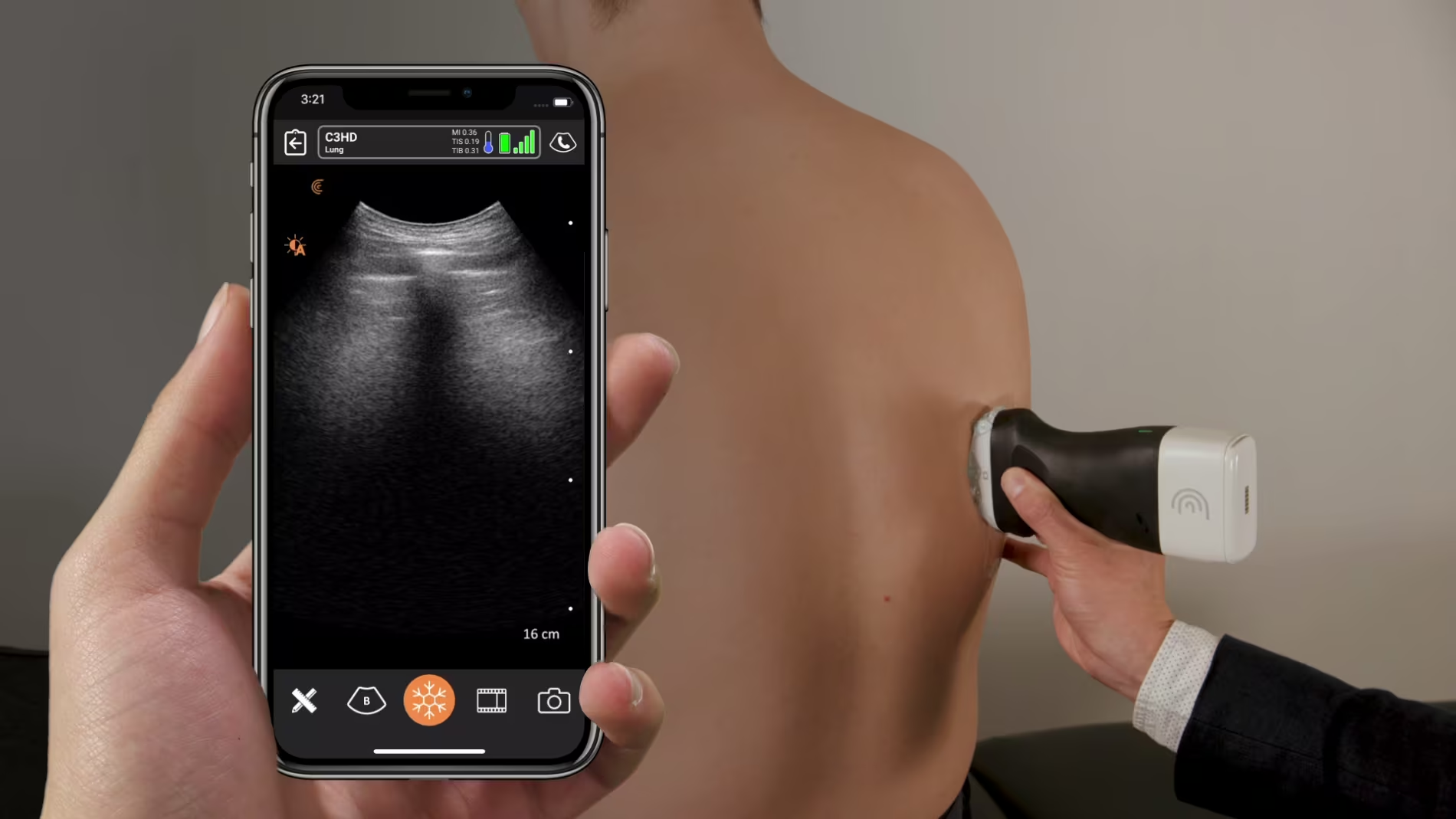
To use an ultrasound scanner with your phone, you'll typically need a wireless ultrasound probe that connects to your phone via Wi-Fi and a dedicated app. The process generally involves downloading the app, connecting to the scanner's Wi-Fi network, and then using the app to control the scanner and view the ultrasound images on your phone. The Convex Pro is a wireless ultrasound scanner that transforms your smartphone into a powerful imaging device. It connects via Wi-Fi, needs no internet access, and delivers high-resolution, real-time visuals on Android, iOS, or Windows devices. Ideal for fieldwork, students, clinics, and emergency use, it brings portable diagnostic power to your fingertips.
Step-by-Step Guide to Using Convex Pro
- Install the App: Download the official app (e.g. WirelessUSG Flash or DRSONO) from your app store.
- Power On the Device: Turn on the Convex Pro probe—it will broadcast its own Wi-Fi signal.
- Connect to Wi-Fi: Open your phone’s Wi-Fi settings and connect to the probe’s network. No internet is required.
- Apply Ultrasound Gel: Apply gel to the target area to ensure proper acoustic contact and image clarity.
- Launch the App & Scan: Open the app, choose your scanning mode (abdominal, OB/GYN, etc.), and start scanning.
- Capture & Save: Store images or 100-second video loops in JPG, AVI, or DICOM format.
- Annotate & Share: Use in-app tools to mark findings and share results securely.
- Recharge Easily: Enjoy up to 5 hours of scanning per charge; recharge in just 2 hours.
Conclusion
The Convex Pro scanner delivers fast, mobile, and high-quality ultrasound imaging—bringing diagnostic precision to your phone in any environment. Using an ultrasound scanner on your phone is a revolutionary way to bring medical imaging to your fingertips—literally. With a compatible probe, a reliable app, and proper technique, you can quickly capture high-quality images for diagnostic or educational purposes. Whether you're a healthcare professional seeking portability or a student learning the basics, mobile ultrasound offers convenience without sacrificing performance. Always ensure your device is FDA-approved and consult a medical expert for accurate interpretation of results.
FAQ
-
Is there a real ultrasound app?
-
Yes, there are real ultrasound apps available that work with compatible handheld devices. These apps allow healthcare professionals to perform scans using their smartphones or tablets. For example, the Scanbooster Ultrasound Simulator is a realistic training app, and the Fagonex Ultrasound App supports actual scanning when paired with a certified probe.
-
Yes, there are real ultrasound apps available that work with compatible handheld devices. These apps allow healthcare professionals to perform scans using their smartphones or tablets. For example, the Scanbooster Ultrasound Simulator is a realistic training app, and the Fagonex Ultrasound App supports actual scanning when paired with a certified probe.
-
Can you record your ultrasound on your phone?
-
Yes, you can record your ultrasound on your phone—if you're using a compatible portable ultrasound device. Apps like Clarius Ultrasound App and Butterfly iQ allow users to perform scans and save images or video clips directly to their smartphones. These recordings can be stored, reviewed, and shared with healthcare professionals for further analysis.
-
Yes, you can record your ultrasound on your phone—if you're using a compatible portable ultrasound device. Apps like Clarius Ultrasound App and Butterfly iQ allow users to perform scans and save images or video clips directly to their smartphones. These recordings can be stored, reviewed, and shared with healthcare professionals for further analysis.


